
IEC 61850 MMS
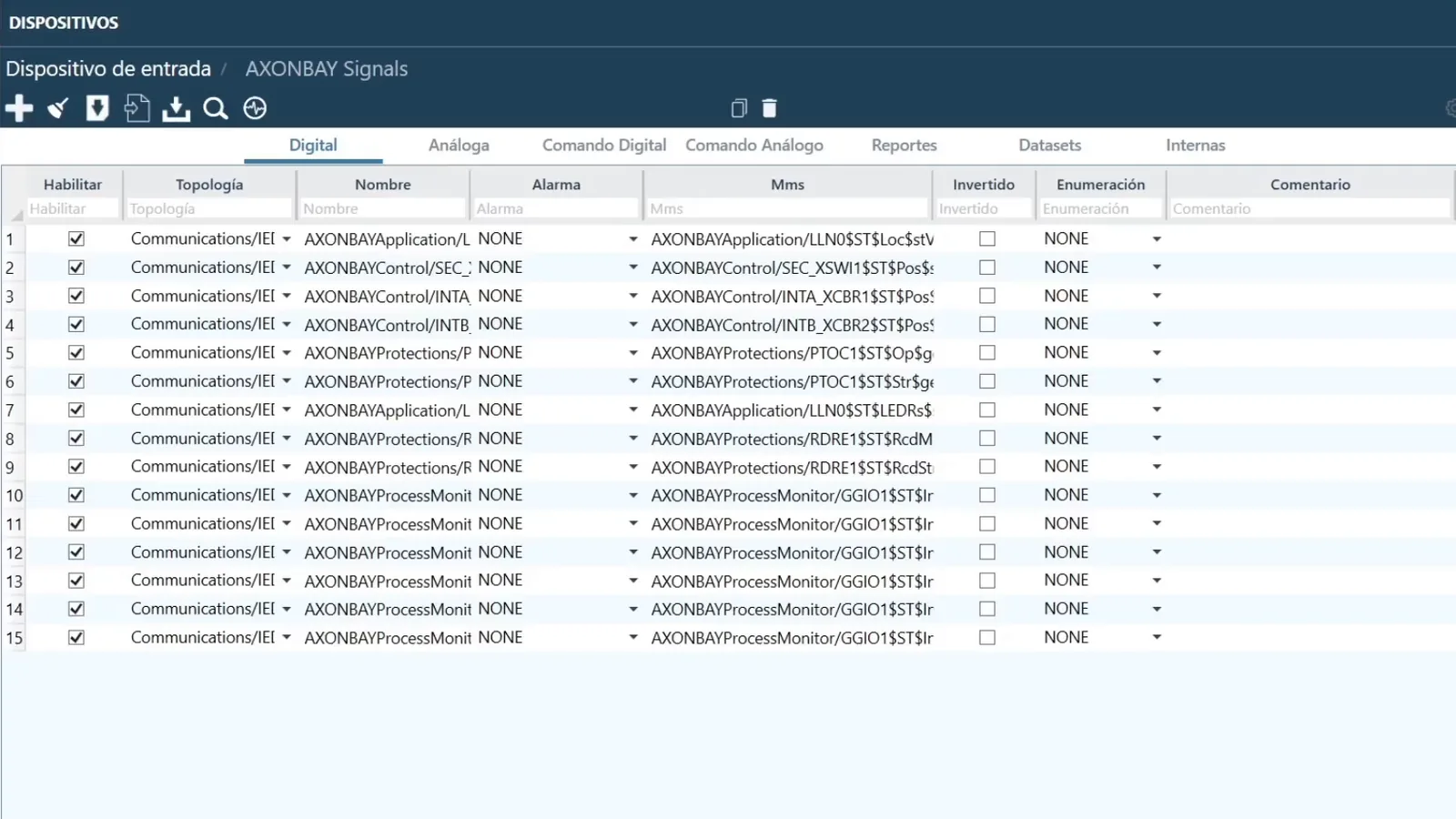
Standard for communication among IEDs in digital substations. AG Builder3 uses it as a client to monitor IEDs and as a server toward other systems; it also retrieves and displays COMTRADE files over IEC 61850.
ClientServer
AG Products
SCADA/HMI for substations: supervisory control and data acquisition with fast configuration, scalable client/server architecture, and Hot-Standby redundancy.
Protocols IEC 61850 · IEC 104 · IEC 101 · DNP3 · ICCP · Modbus · OPC UA · OPC DA · SNMP
AG Builder3 is a SCADA/HMI specialized for the power sector. Its client/server architecture scales from a single station to distributed multi-user systems, with secure access to control functions and visualization of critical information.
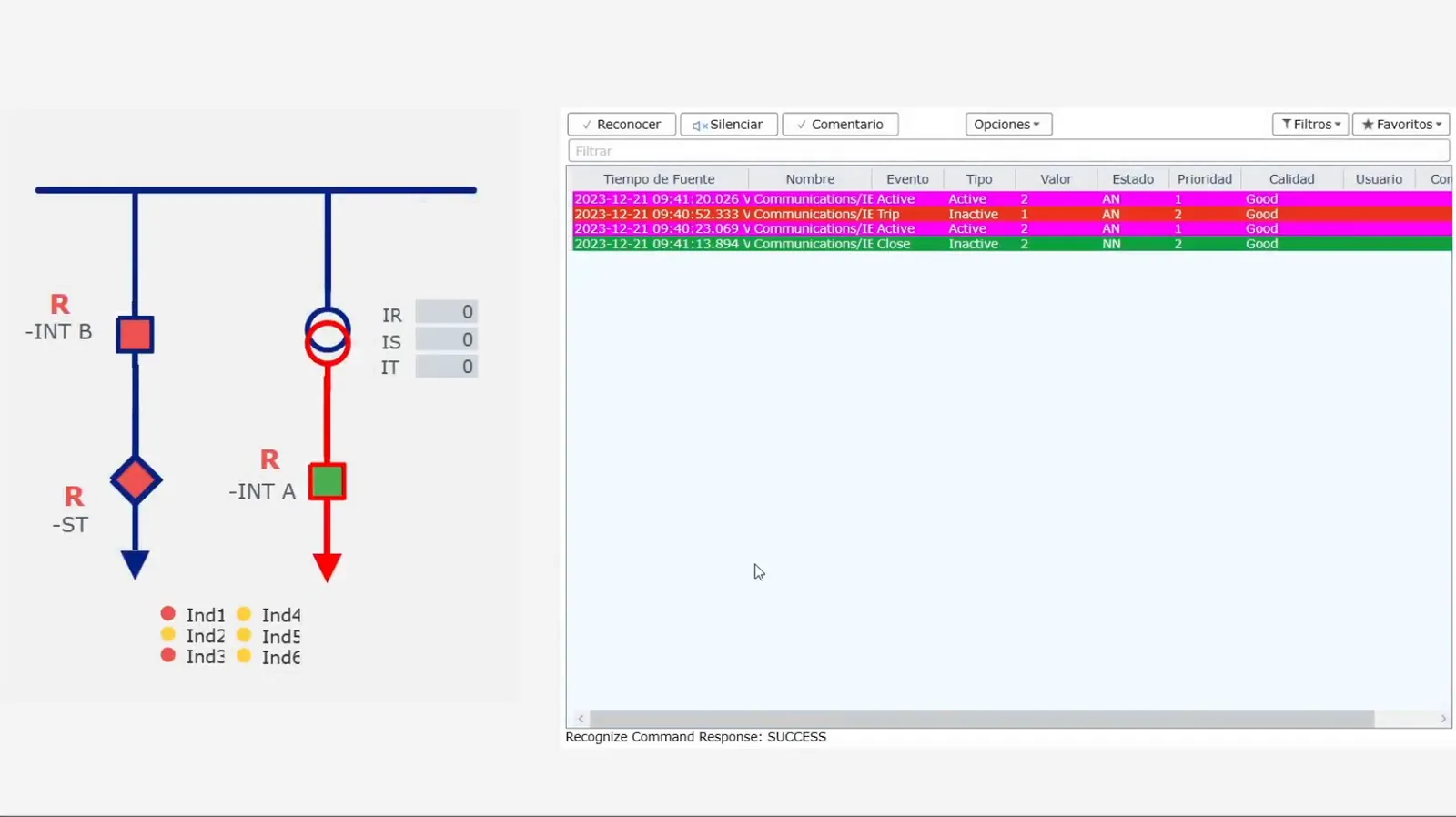
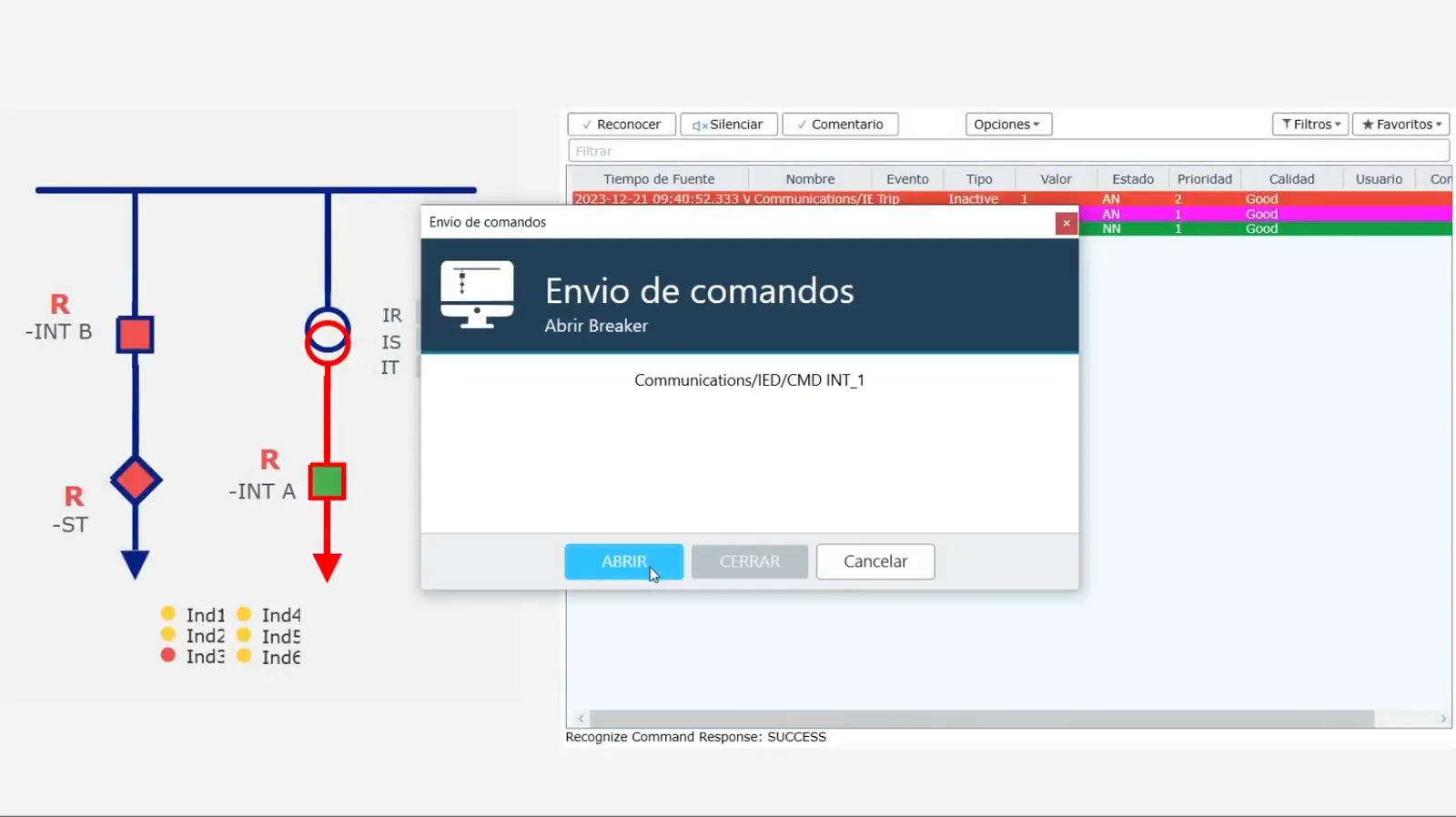
Multiple visualization and control clients, with zone management to operate by area of responsibility. Signal and command viewing and forcing.
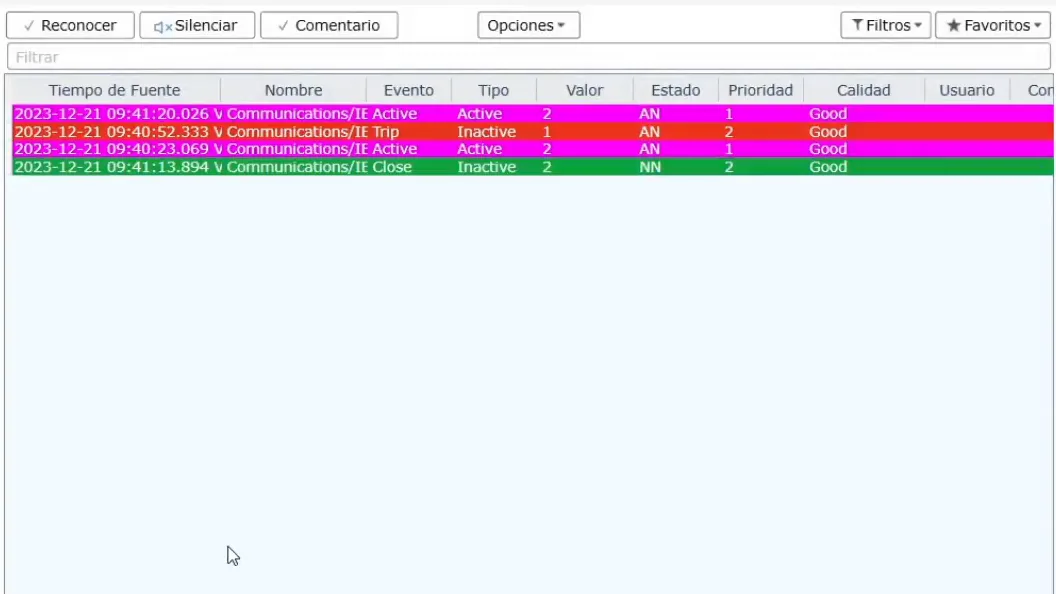
Alarms, events, and trends in real time and historical. Schedulable reports in .txt, .csv, .html, .xlsx, .pdf, and .docx, sent by email or archived, with backup and automatic database recycling.
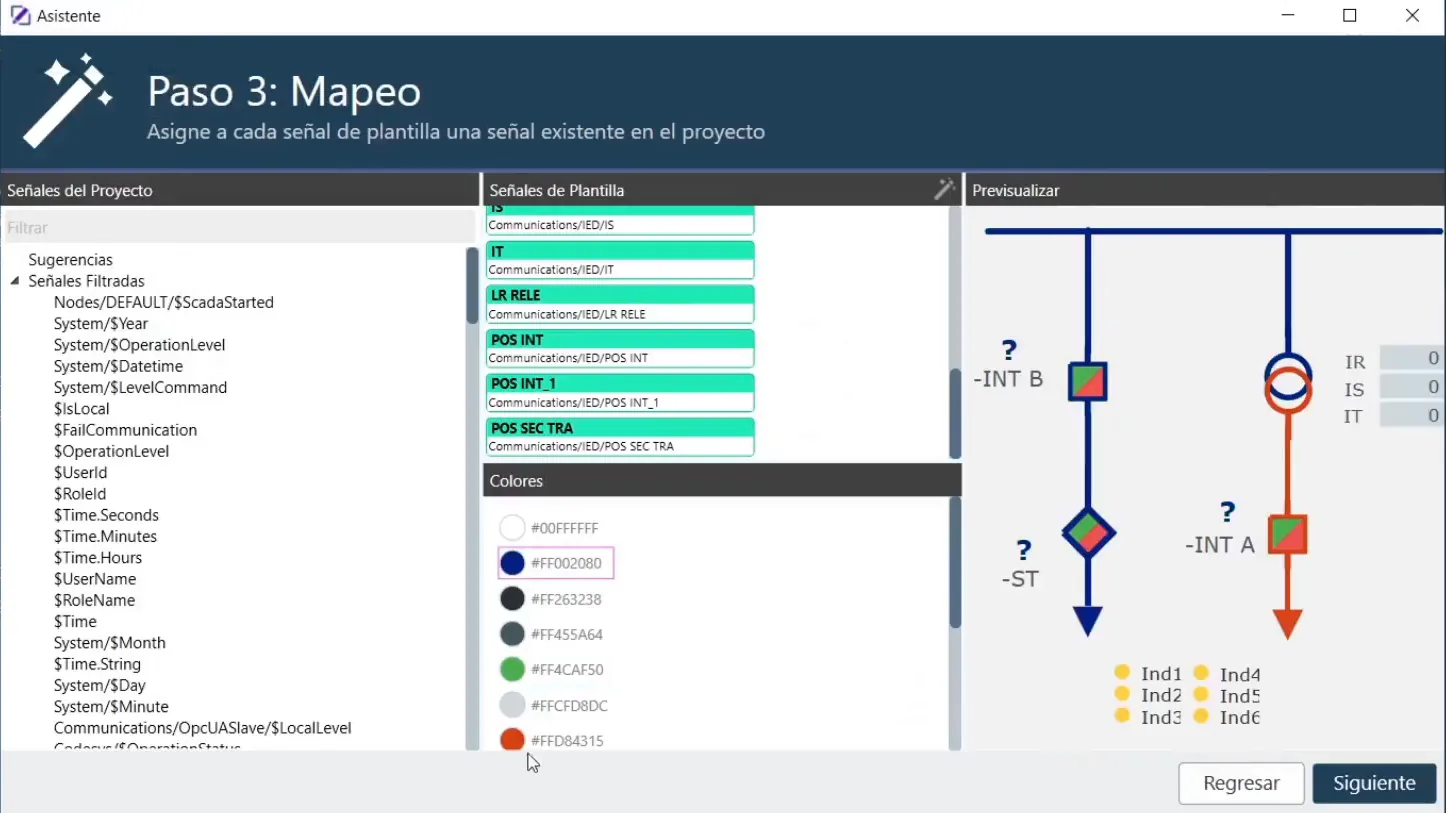
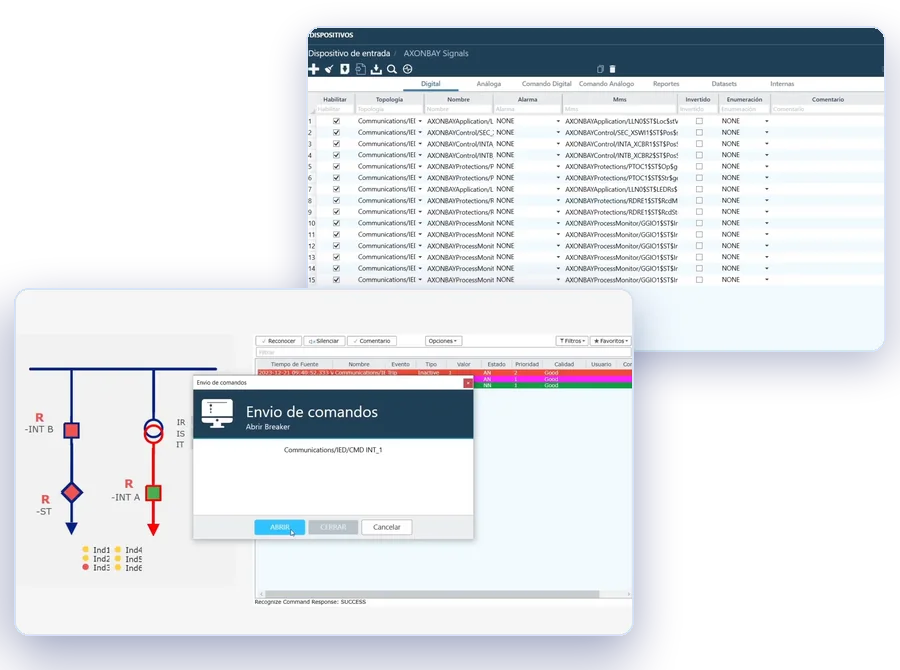
Smart screen wizard, automatic signal renaming, project templates, and hierarchical topologies for typical bays.
User profiles with specific permissions and areas of responsibility. Integration with Windows Active Directory to manage permissions.
AG Builder3 communicates as both a client and a server with the main power sector protocols, and can act as a gateway or data concentrator toward other levels.
Field devices
IEDs · RTUs · meters · PLCs
As a client reads the devices
Monitors, controls, and concentrates
As a server delivers the data
Control centers and other levels
Control center · higher-level SCADA
Standard for communication among IEDs in digital substations. AG Builder3 uses it as a client to monitor IEDs and as a server toward other systems; it also retrieves and displays COMTRADE files over IEC 61850.
Telecontrol over TCP/IP networks between substations and control centers. Includes the Endesa IEC 104 server profile.
Telecontrol over serial links.
Telecontrol protocol for utility SCADA systems.
Data exchange between control centers.
Industrial protocol for integrating meters, PLCs, and field devices.
Data exchange with IT/OT systems and third-party applications.
Integration with classic OPC applications.
Status monitoring of network and communications equipment.
Visualization from the browser, in addition to the remote clients.
Configurable logic with the CoDeSys tool.
Additional functions for internal server and HMI signals.
Retrieval and display of COMTRADE files over IEC 61850.
Permission management with Windows Active Directory.
Reports and events in .txt, .csv, .html, .xlsx, .pdf, and .docx.
Hot-Standby redundancy with synchronized databases and updates that do not stop the control system.
0control system stops when updating a deployment
Hot-Standby redundancy
Each server keeps its database constantly synchronized: the information is available from either unit in the 'hot' state.
Updates without restart
Multi-process architecture: resilience to faults and more processing capacity. Configuration changes restart only the affected services and, in some cases, none at all.
IP groups for gateway
Option to use multiple IP address groups when AG Builder3 acts as a gateway.
Two levels of continuity: redundant servers (Hot-Standby) and services that update without stopping operation.
Software capacity and licensing, and the minimum requirements of the server where it is installed.
Capacity
500 to 100,000 tags
Scalable licenses based on the number of tags in the project.
License
Hardware or software
Full access to every feature, with no separate modules.
Concurrent clients
15remote clients
15web clients
Operating system
Windows 10 / Server 2016
or later versions
Processor
8 cores · 16 threads
Intel or AMD, at minimum
Free RAM
3 GB recommended
Minimum 1 GB
Disk
30 GB free
For installation and data
Framework
.NET 4.8
Microsoft .NET Framework
Components
Visual C++ 2013 and 2019
Microsoft redistributables
Questions about your infrastructure? Our team reviews the server with you before installation.
From a single station to distributed multi-user systems, with open protocols and a graphical structure you can extend.
Communications
Architecture
Customization
The Diagnostics module shows the status of each device, its driver, and whether the protocol is licensed.
Wizards and templates that cut engineering hours and configuration errors, with gateway functions that avoid additional equipment.
Save a finished project as a template and keep screens, color palette, and signal list for each customer.
Figure published by Axon Group for its automation solutions.
Gateway functions reduce time and equipment in communication with other levels.
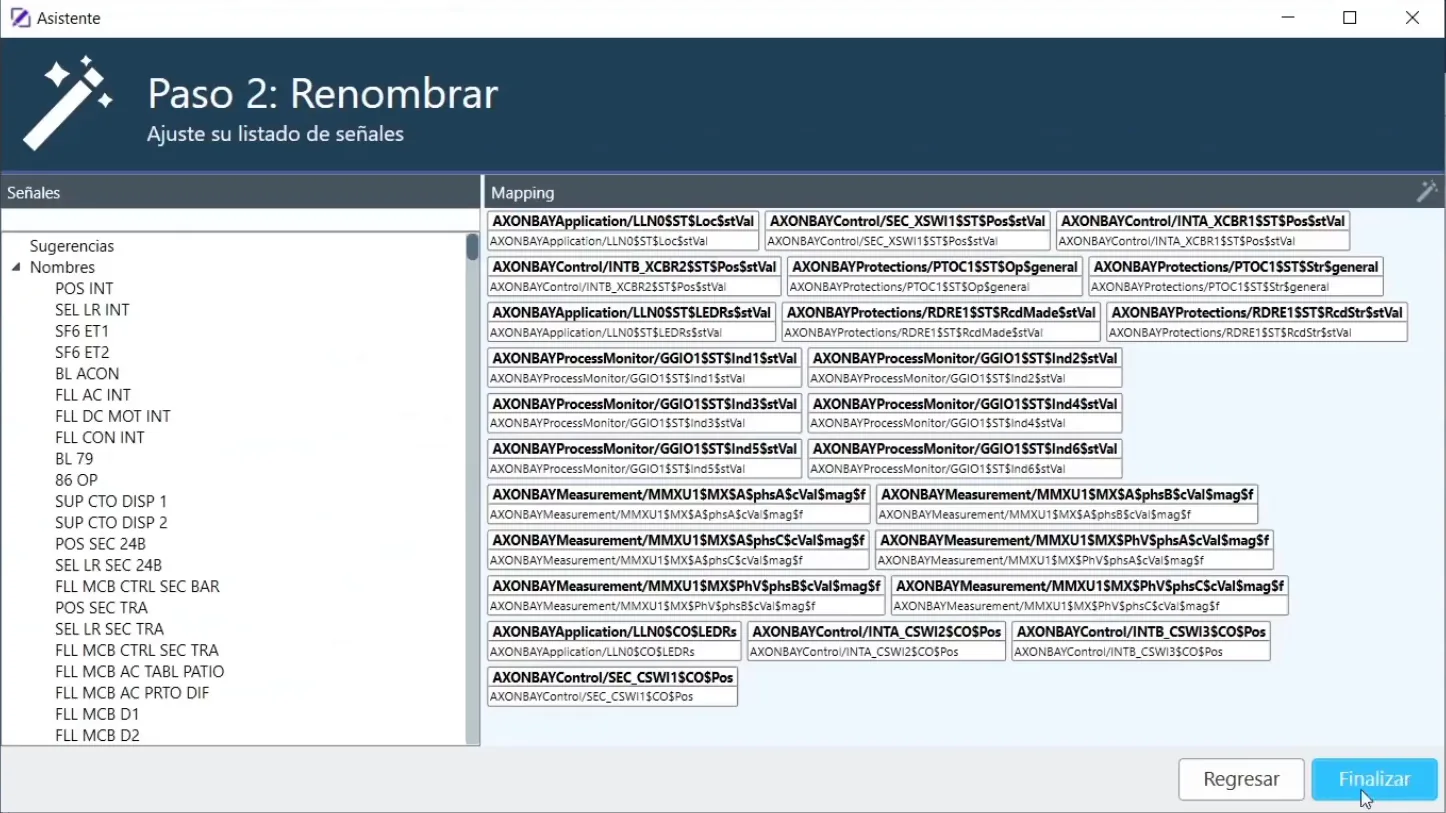
The wizard takes IEC 61850 MMS addresses and translates them into a standard list of names, with customizable regular-expression rules and automatic match suggestions.
Check the AG Builder3 versions. To download the installer, log in with your customer account.
AG Builder3 installer
Current version: 3.7.9 ·
What's new
Compatible with Windows 10 or later · Windows Server 2016 or later
What's new
Compatible with Windows 10 or later · Windows Server 2016 or later
What's new
Compatible with Windows 10 or later · Windows Server 2016 or later
Technical support in Spanish from engineers specialized in SCADA, IEC 61850, and telecontrol.
Create the device on the desired protocol (Driver section) and configure its communication parameters. Then create the Access Name—we recommend that the Name and Topic columns match the driver name—and assign it to the device signals. View protocols ›
If the project is linked to a database that cannot be reached, the service will not run until a working database connection is configured or the database is disabled.
Go to Tools → Edit Autoruntime. With "Enable Server", after the computer restarts the last project sent to the Server Runtime starts on its own. In "Client Path" you choose the client project, and in "Time" you set the delay between computer startup and service start.
Send the project to the Server Runtime and validate the connection to the server from the client to synchronize the signals. Every time you change signals in the server configuration, synchronize the client and server again.
There is a step-by-step guide in the product manual. View architecture ›
Yes. Download the trial license from AG Downloads, or request a pilot with your own data. Go to AG Downloads ›
Proof of concept
Reference cases and AG Builder3 features.
1–3 of 4