
ICCP / TASE.2 Inter-Control Center Protocol
Data exchange between control centers. AG ICCP Detector captures the messages passively and processes them according to the standard, without interfering with the traffic.
Passive capture
AG Products
Passive monitoring of ICCP/TASE.2 channels: calculates the availability of every signal and every link in real time, and alerts you to any drop in availability.
Protocols ICCP / TASE.2 · IEC 60870-5-104 · email (SMTP) · web interface
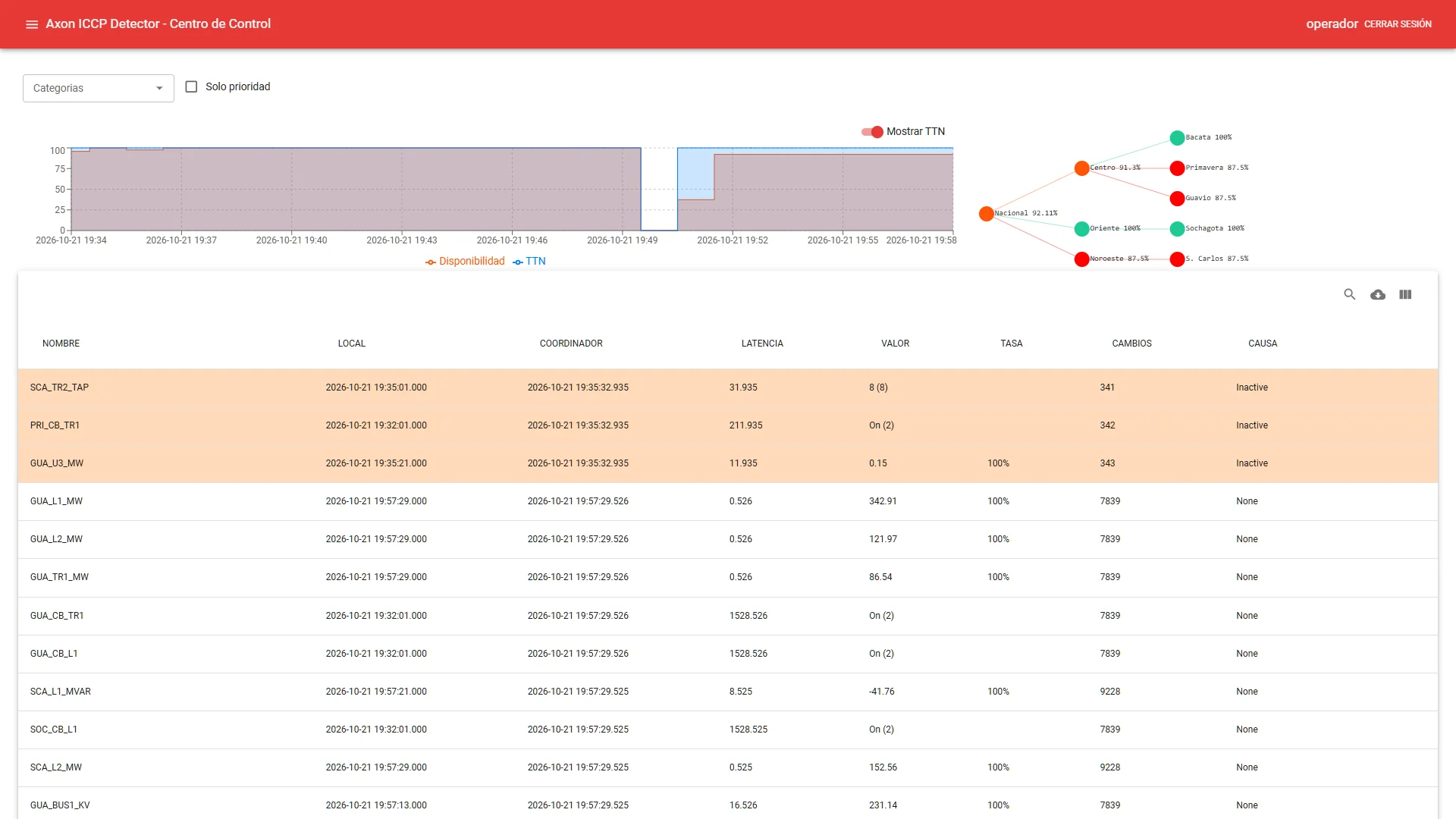
AG ICCP Detector passively listens to ICCP messages between control centers and calculates signal availability in real time based on validity and latency. It is a local, independent tool for auditing the quality of the links and of the data transmitted.
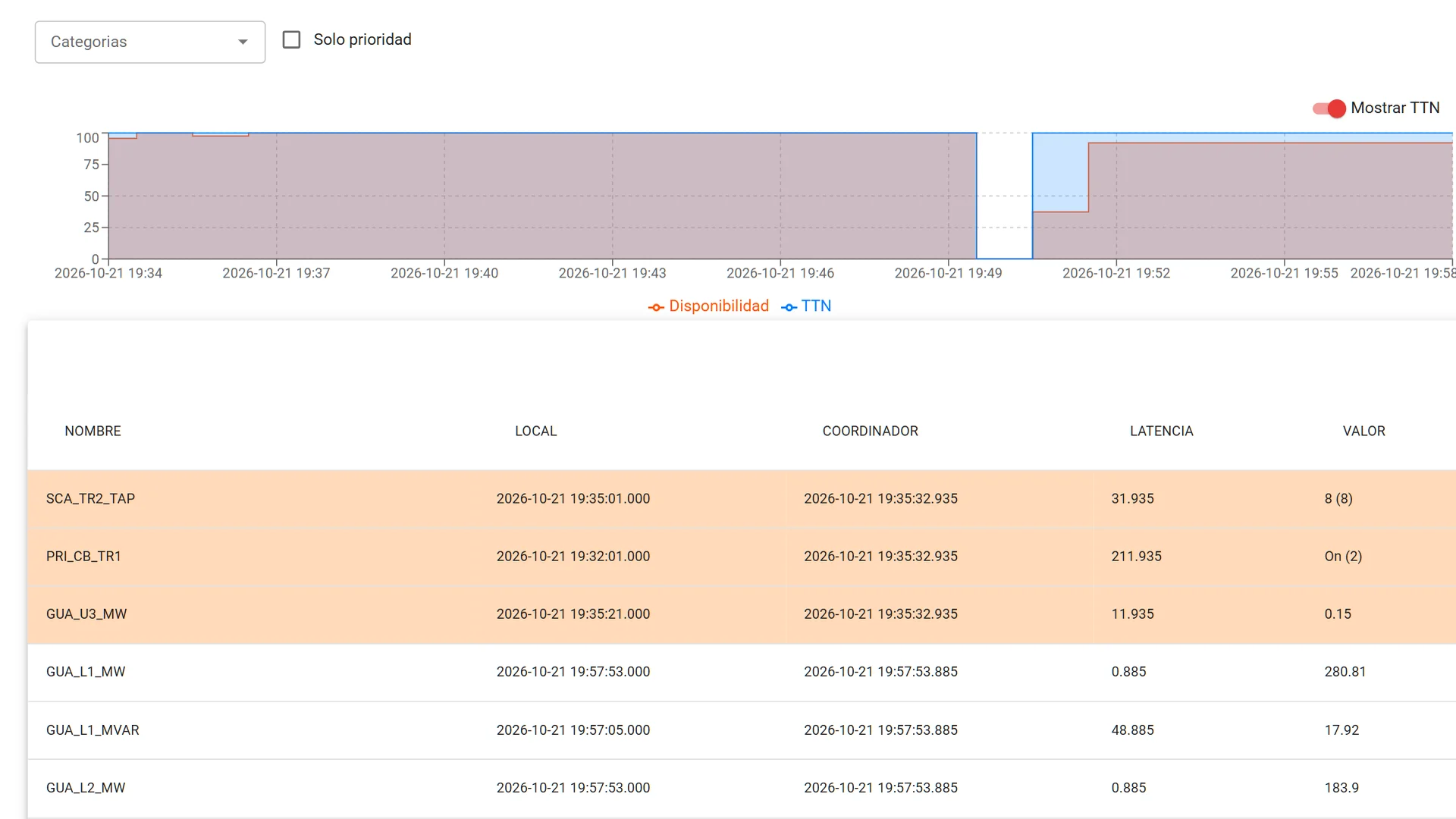
Secure web access to check system availability in real time, analyze signals by category, and review historical data and communication events.
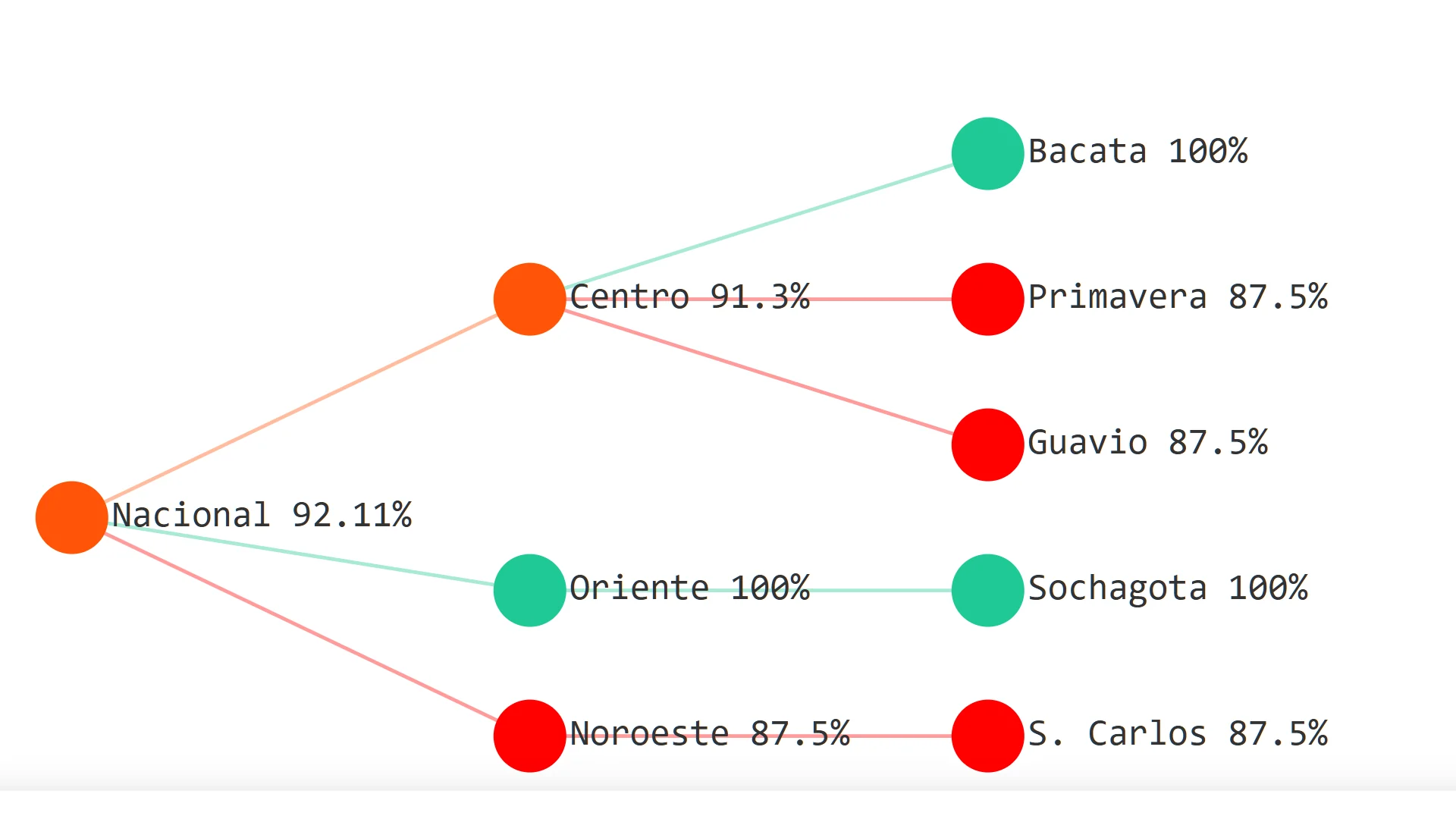
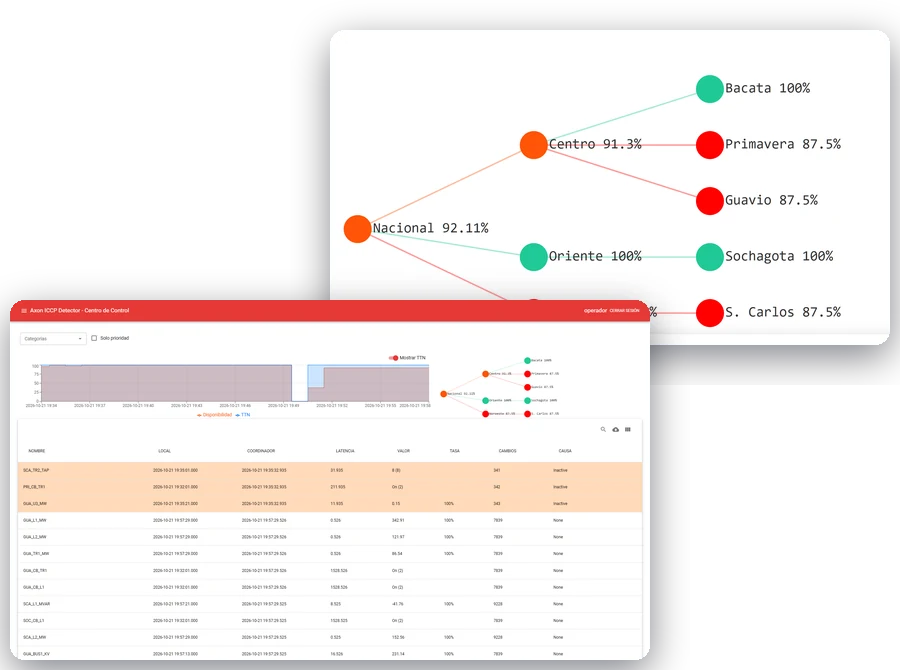
Organize signals into categories you define, like the topologies of a SCADA. Each node shows the real-time availability of its signal group.
Source timestamp, value, quality, latency from the source, percentage of change, and number of changes for each signal, with the CAUSE column that summarizes why it is unavailable.
You select the network interface carrying the ICCP traffic and the system detects and suggests the available signals. From there you adjust notifications and rules.
AG ICCP Detector captures ICCP/TASE.2 traffic without interfering with it and delivers the calculated availability to SCADA, by email, or in its web interface.
ICCP link between control centers
ICCP / TASE.2 · redundant channels
Passive listening to the channel
Calculates and audits availability
Delivers availability
SCADA, email, and web
IEC 104 · SMTP · browser
Data exchange between control centers. AG ICCP Detector captures the messages passively and processes them according to the standard, without interfering with the traffic.
Sends the calculated availability, by category, to existing SCADA systems.
Automatic alerts for availability drops or recoveries.
Indicators and reports with secure access from the browser.
Export of historical reports and statistical summary.
Redundant mode with support for multiple ICCP links.
Authentication and secure access to configuration and monitoring.
Operations

Communications
Compliance

Integration

Maintenance
Your project
Your own local source for auditing the link: AG ICCP Detector does not depend on the system it monitors.
0messages injected into the ICCP channel: capture is passive
Passive listening
Captures the communication data between control centers without interfering with ICCP/TASE.2 traffic.
Redundant channels
Support for redundant channels, with synchronization between instances to deliver a consolidated view of performance.
Latency measured at the coordinator
Latency is evaluated and corrected when the transfer packet is acknowledged with TCP/ACK: it reflects actual reception at the coordinator end.
Multi-process architecture with a redundancy option: database in redundant mode and multi-link ICCP support.
Capacity, licensing, and security of the software, and the minimum requirements of the computer where it is installed.
Capacity
100 to 4,000 tags
Scalable licenses based on the number of monitored tags.
License
Hardware-based
Based on the number of tags in the project.
Security
Users with privileges
Each account accesses only what it is entitled to.
Operating system
Windows 11 / Server 2019
Or later · 64-bit
RAM
4 GB
Recommended minimum
Disk
400 MB + 20 GB
Installation + data (recommended)
Questions about your infrastructure? Our team reviews your computer with you before installation.
From each signal to the whole system: availability is calculated with latency and quality criteria that you configure.
Signal
Rules
Categories
The CAUSE column indicates whether the signal fails because of quality, latency, or channel inactivity.
Every outage, every recovery, and every communication event is recorded so you can audit the link.
Detailed log of communication events to audit links and generate specialized diagnostics.
No channel traffic, no report, latency, or quality: every incident is recorded with its cause.
Automatic notifications when availability drops, due to a channel outage or for specific signal groups.
AG ICCP Detector stores communication events, signal changes, and the availability calculation in a database with automatic recycling, and builds reports by time range.
Browse the AG ICCP Detector versions. To download the installer, log in with your customer account.
AG ICCP Detector installer
Current version: 3.0.0 ·
What is new
Compatible with Windows 11 · Windows Server 2019 or later · 64-bit
What is new
Compatible with Windows 10 / 11 · Windows Server 2019 / 2022
What is new
Compatible with Windows 10 / 11 · Windows Server 2019 / 2022
Technical support in Spanish from engineers specialized in ICCP/TASE.2 and communications between control centers.
No. Capture is passive: it listens to the messages between control centers without interfering with the traffic. See architecture ›
Per signal, based on latency and quality criteria, with configurable rules (deadband, zero crossing, and latency thresholds by data type). Total system availability is calculated every minute. See calculation ›
Yes, over IEC 60870-5-104, including the availability calculated by category.
Yes, with synchronization between instances to deliver a consolidated view of performance.
Yes. Download the trial license from AG Downloads, or ask for a pilot with your own link. Go to AG Downloads ›
Yes. AG Empowering offers ICCP/TASE.2 training in-house at your facilities, as well as protocols and OT networks. See programs ›
Proof of concept
ICCP availability in practice.
1–3 of 4