Capacity
Up to 500 IEDs
Connects up to 500 relays of any brand to collect their records.
AG Products
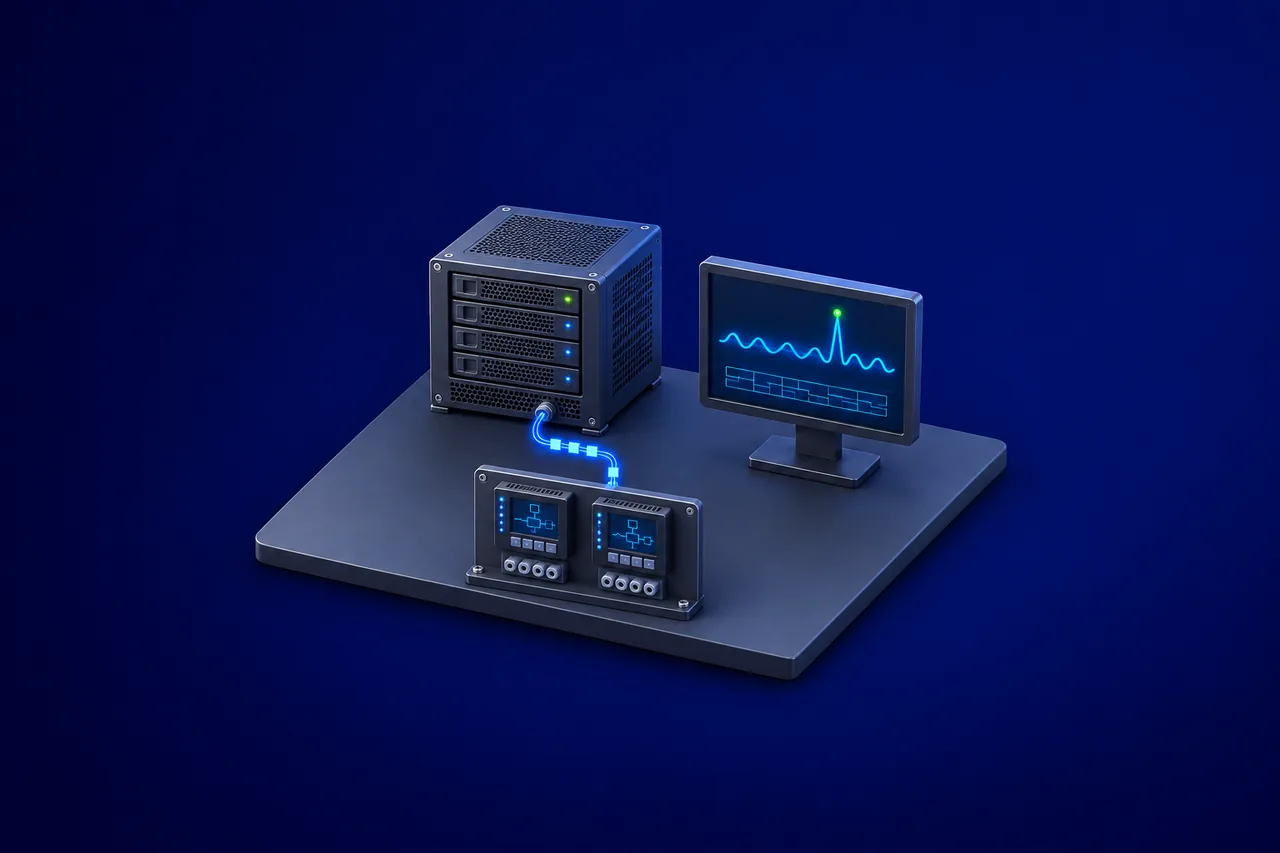
Remote reading of protection relays: automatically collects fault records, settings, and events from any relay brand, analyzes every fault, and shows you the fault record ready for review.
Protocols IEC 61850 File Transfer · FTP / FTPS · TFTP · IEC 104
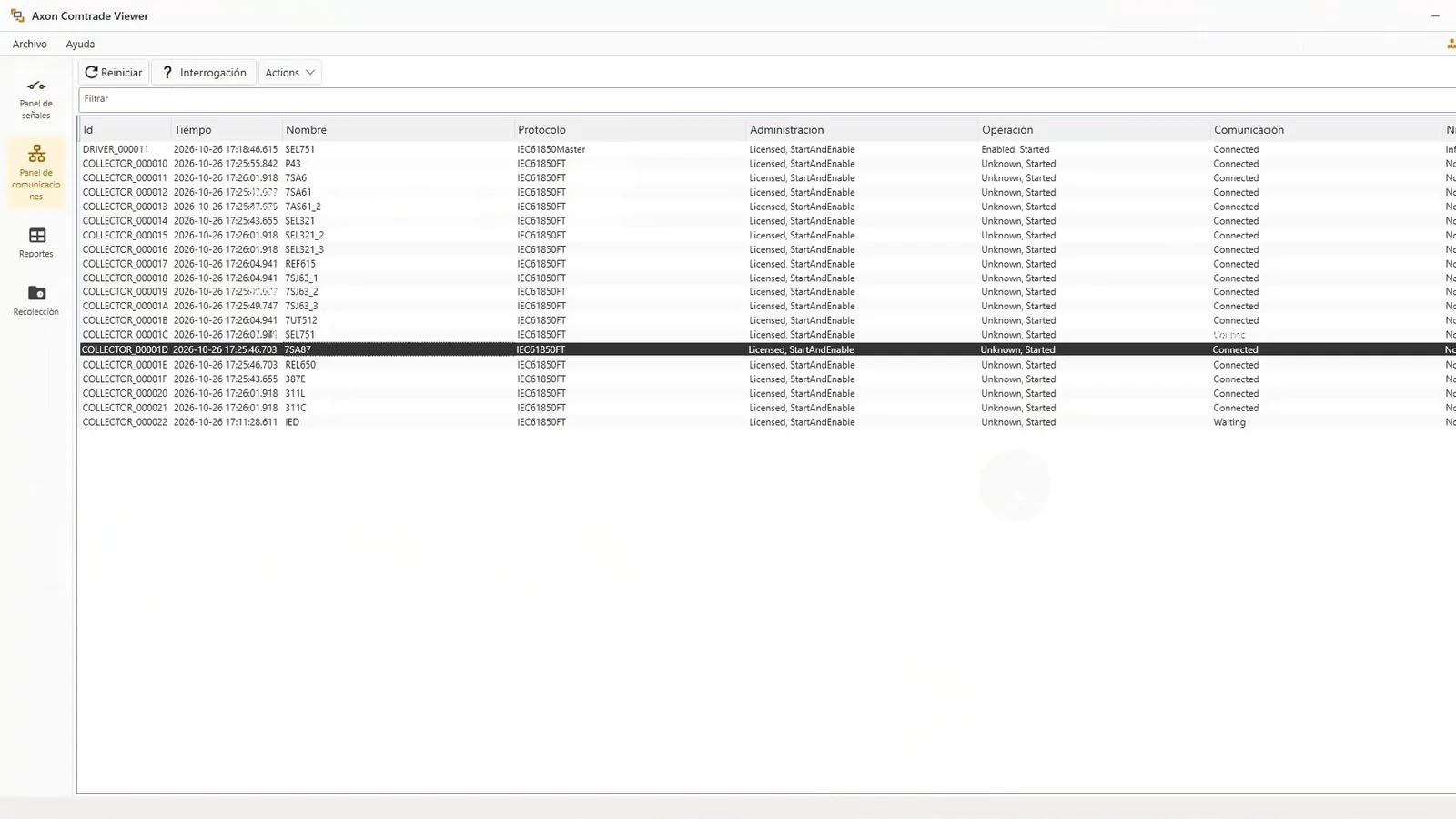
AG Comtrade automatically collects configuration files, fault records, and events—COMTRADE (IEEE C37.111 1999, 2013) or COMFEDE (IEEE C37.239-2010)—from protection relays, disturbance recorders, and concentrators, processes them with rules, and makes them available for analysis and for other systems.
Captures COMTRADE fault records, protection settings, and event logs through remote reading, with interoperability across vendors. The information is available to external systems via FTP.
Customizable rules organize files in an output directory with a hierarchical structure, with renaming per IEEE C37.232-2011 (COMNAME) and versioning.
Email notices (SMTP) with filters by file type, and reporting of new data over IEC 60870-5-104 with digital signals.
User profiles with configurable permissions to define what each one can do, and a system event log for failures or new entries.
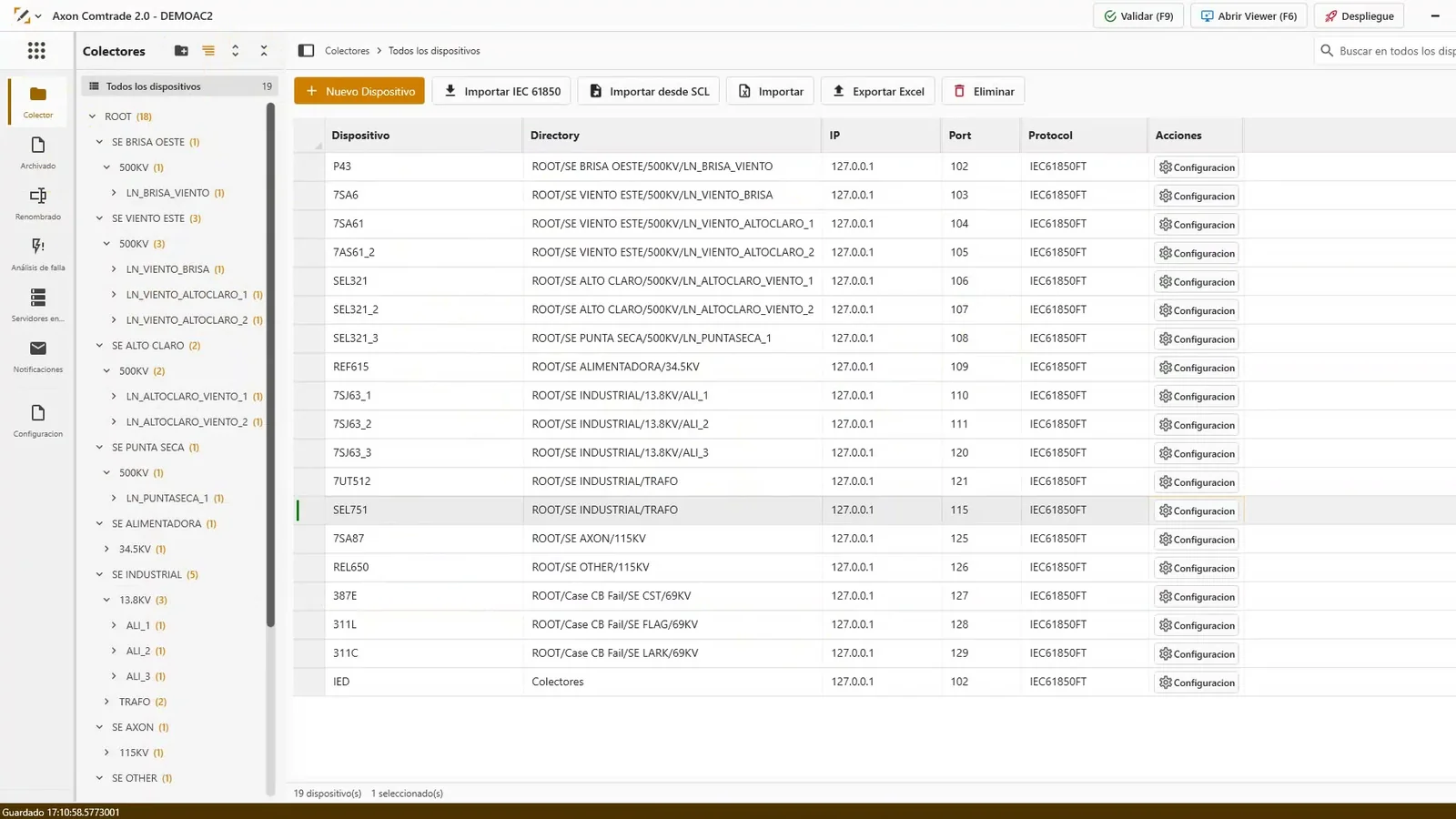
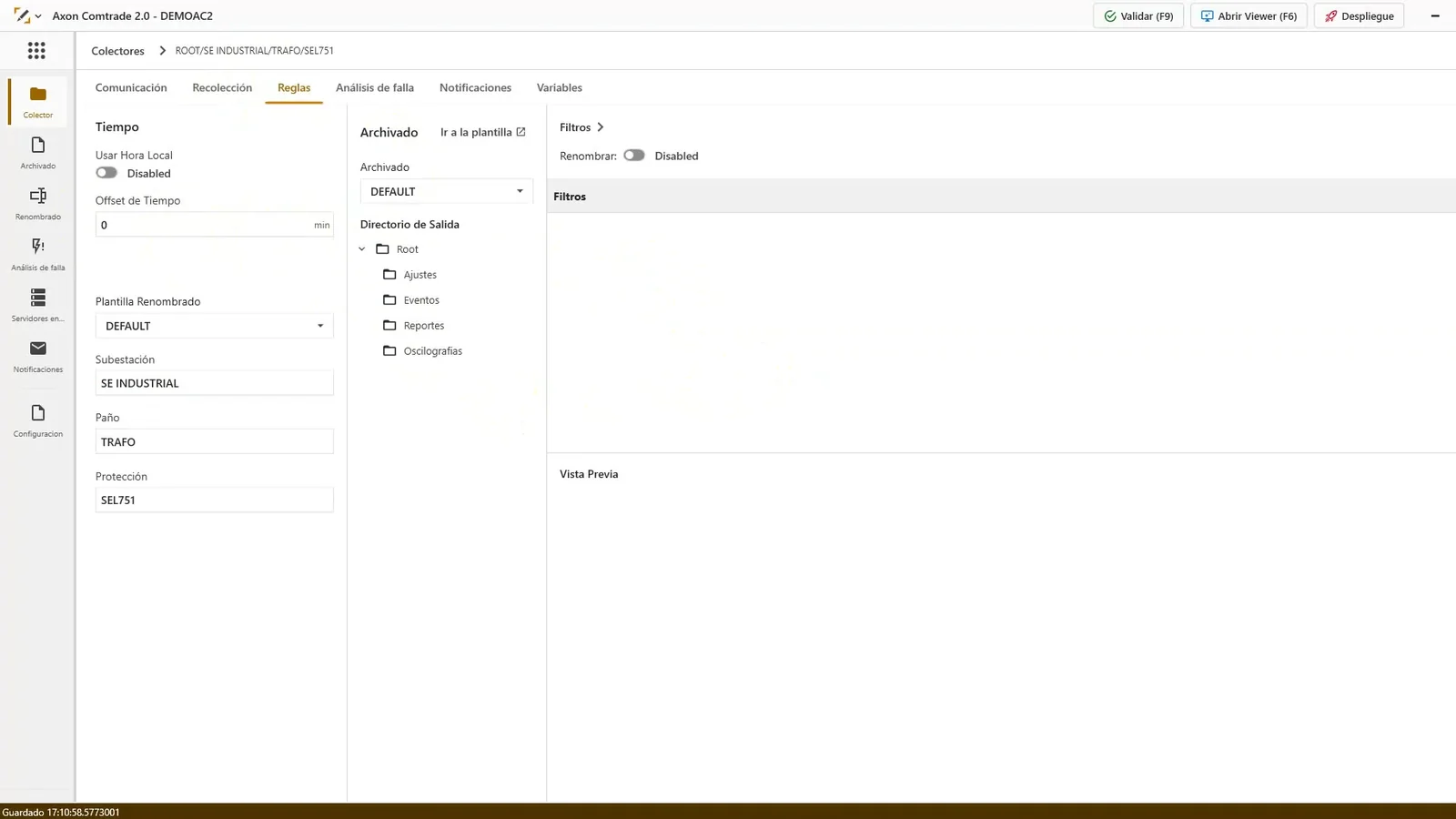
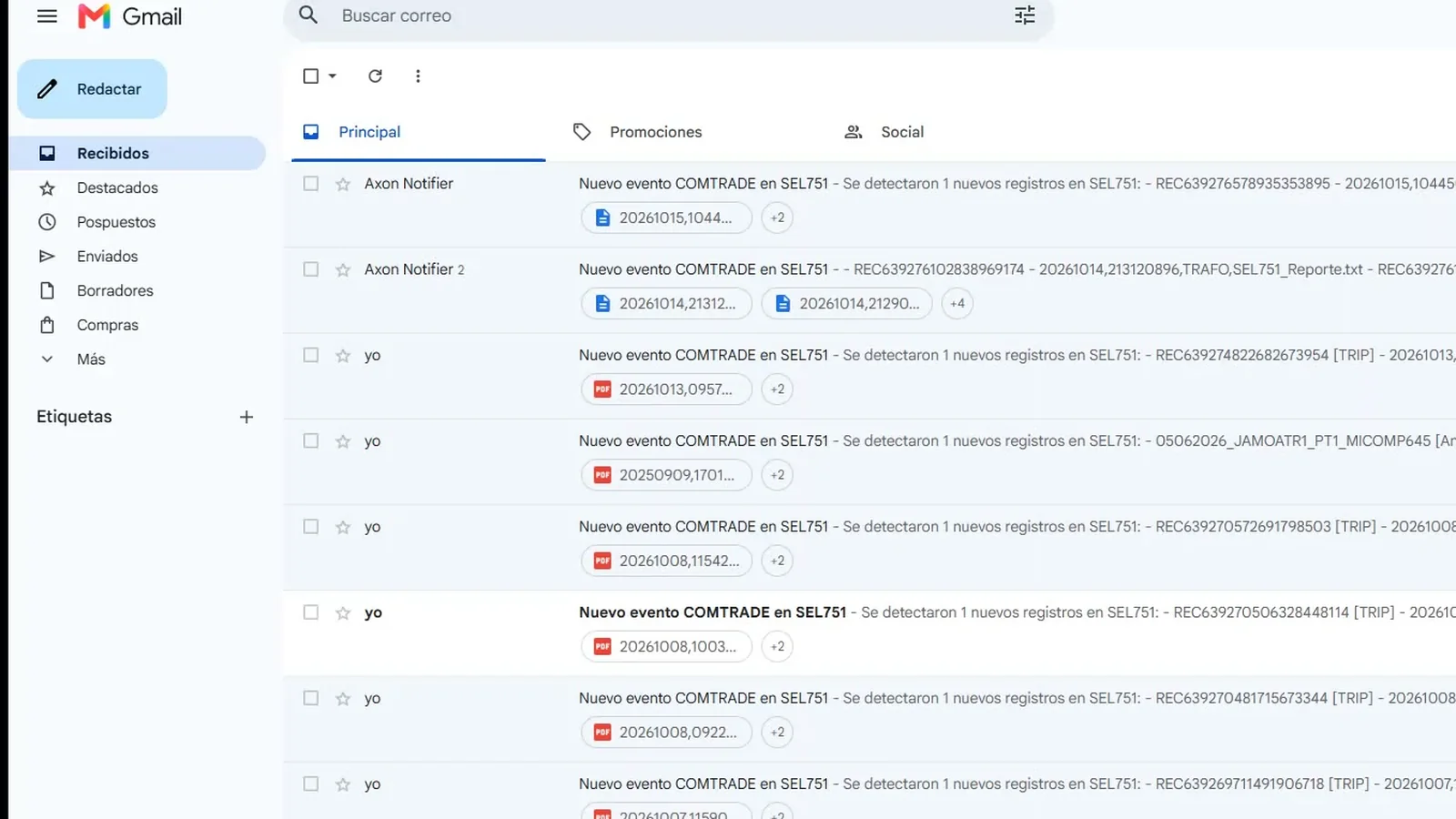
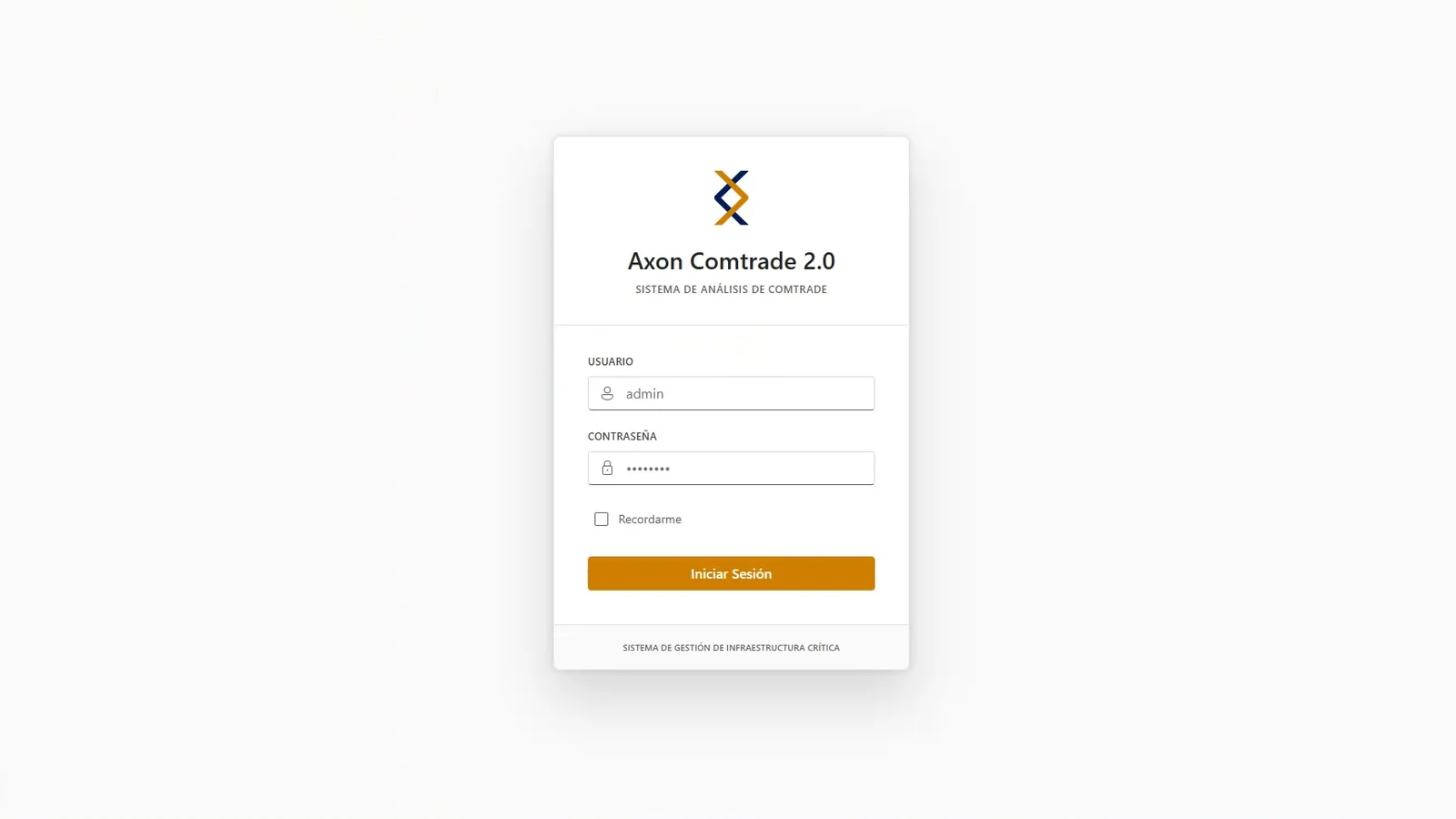
AG Comtrade reads protection devices using file transfer protocols and delivers the information to other systems, regardless of the equipment brand.
Collection
Access and distribution
Automatic, cyclic connection to each relay, and cascaded servers to grow from one substation to regional and national networks.
RcdMade signal · IEC 61850
Fault
A protection function trips and the relay records the fault record.
Record ready
Logical node LN: RDRE
RDRE1.RcdMade.stVal = TRUEIEC 61850 server
Notification · MMS (BRCB) / GOOSE
server push
COMTRADE (.CFG / .DAT)
MMS File Services · IEC 61850-8-1 · client pull
Receives the notification and downloads the record instantly.
IEC 61850 client
Ready for analysis
The record enters the automatic fault analysis.
500IEDs supported by the system
Fault
A protection function trips and the relay records the fault record, settings, and events.
Record ready
The relay sets the RDRE logical node (RcdMade = TRUE): there is a new record on the IEC 61850 server.
Notification and download
The notification arrives over MMS (BRCB) or GOOSE and AG Comtrade downloads the COMTRADE files through MMS File Services.
Automatic and cascaded collection
AG Comtrade connects cyclically and downloads anything new, even in ZIP files. In a cascade, each server shares the reading of the devices.
Ready for analysis and other systems
Rules that rename the files (COMNAME) and publish them over FTP, with notices by email and IEC 60870-5-104.
Multi-brand by design: collection uses standard protocols (IEC 61850 File Transfer, FTP, and TFTP), independent of the relay manufacturer.
Capacity and licensing of the software, and the minimum requirements of the server where it is installed.
Capacity
Up to 500 IEDs
Connects up to 500 relays of any brand to collect their records.
License
Hardware or software-based
Based on the number of devices to connect.
Operating system
Windows 10 / Server 2012
or later versions
Processor
2.5 GHz
Minimum speed
RAM
8 GB recommended
Minimum 4 GB
Disk
10 GB free
For installation and records
Database
PostgreSQL 10
or later versions
Framework
.NET 4.8
Microsoft .NET Framework
Questions about your infrastructure? Our team reviews your computer with you before installation.
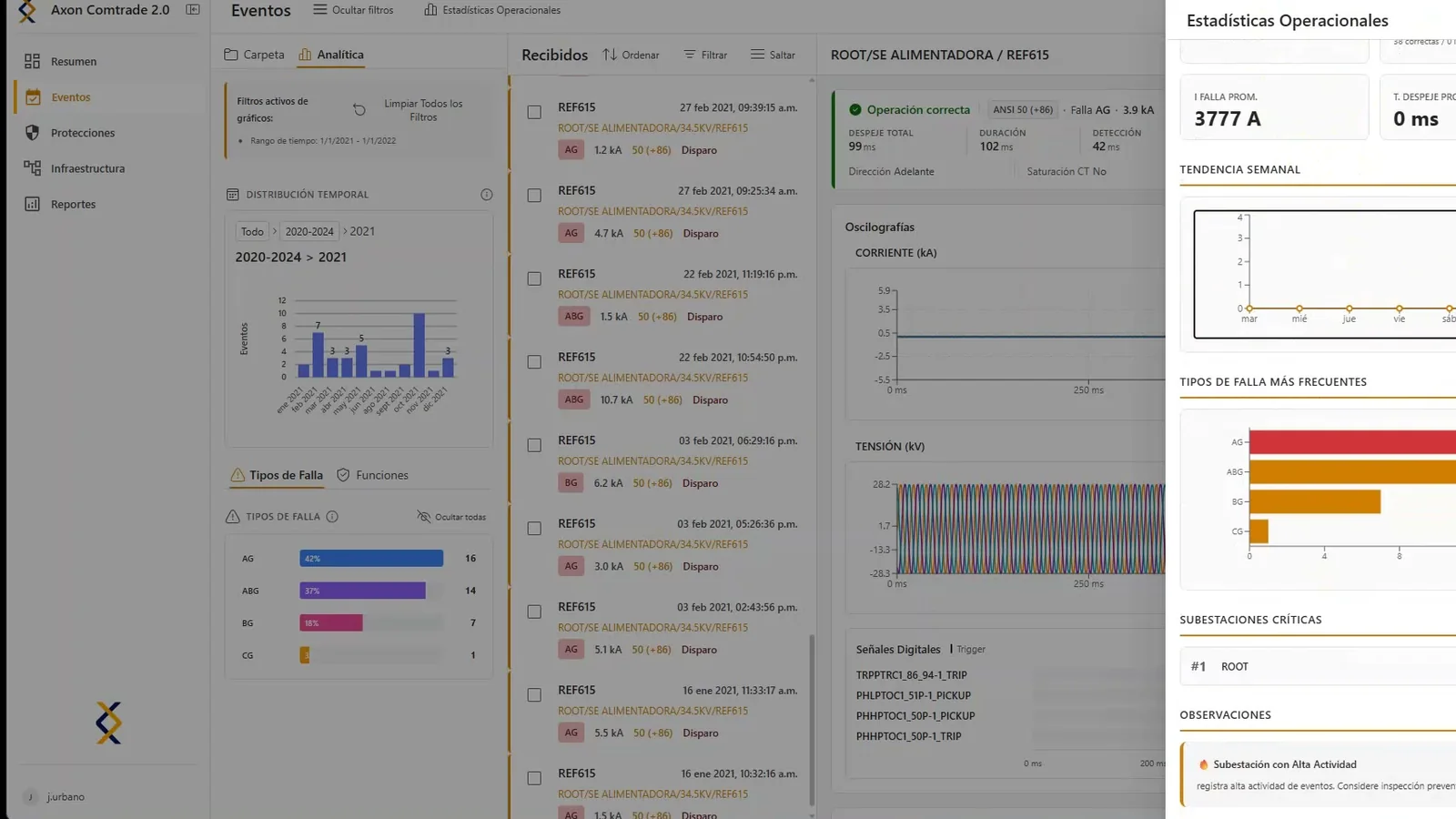
Every record that arrives is analyzed on its own: the protection engineer starts from the diagnosis, not from the file.
Record
Analysis
Result
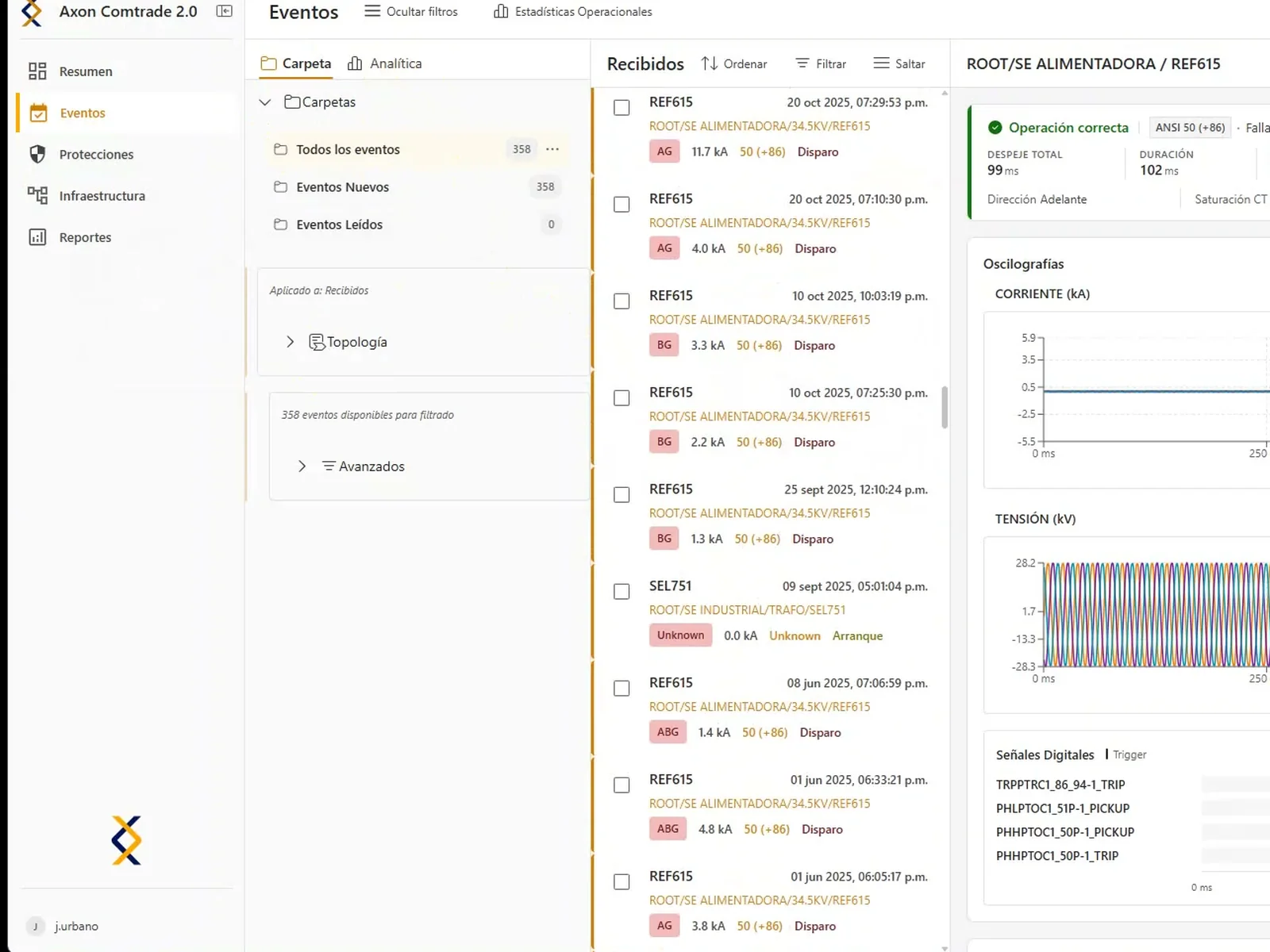
Chronological panel with a filter to find specific events.
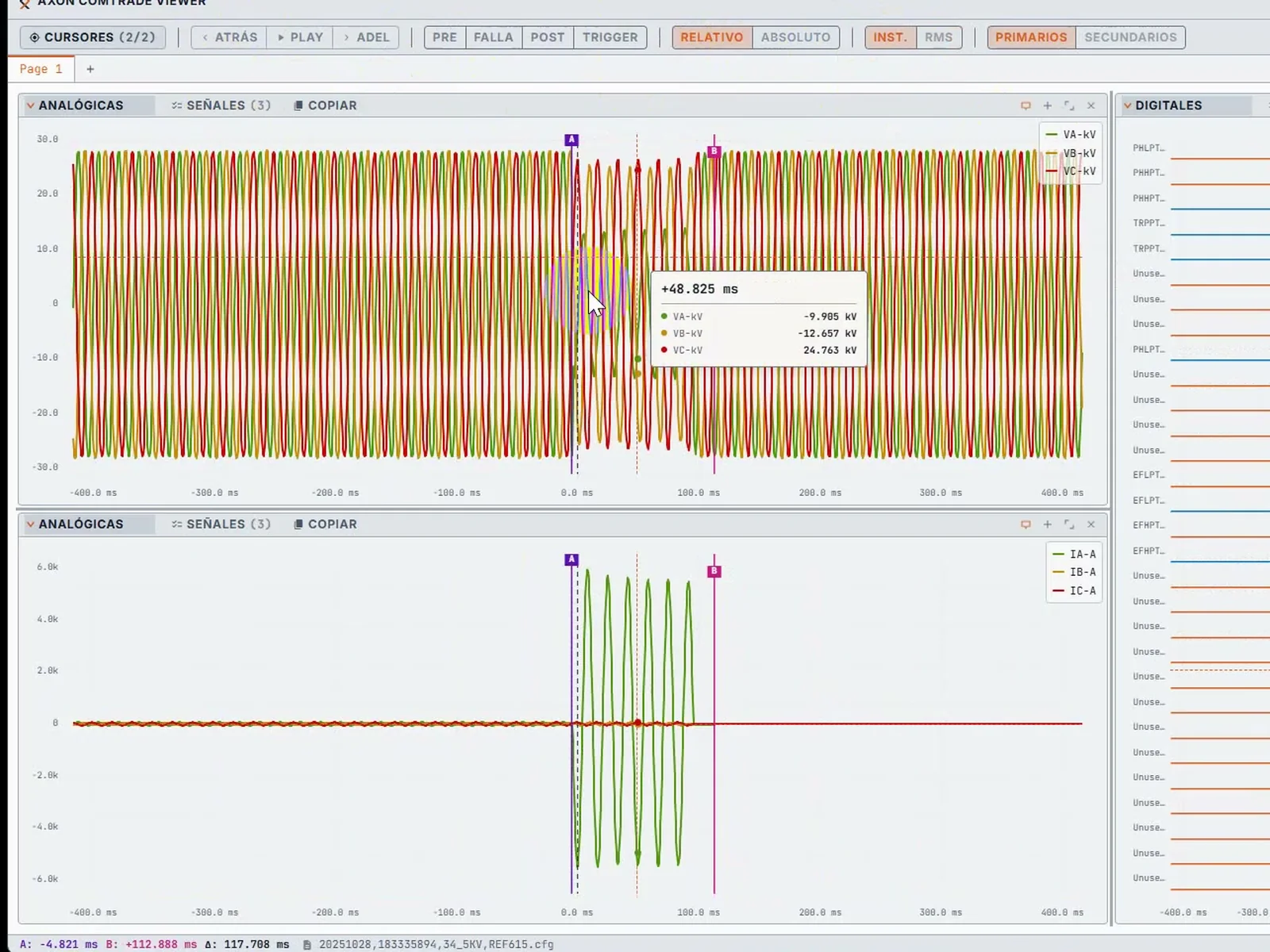
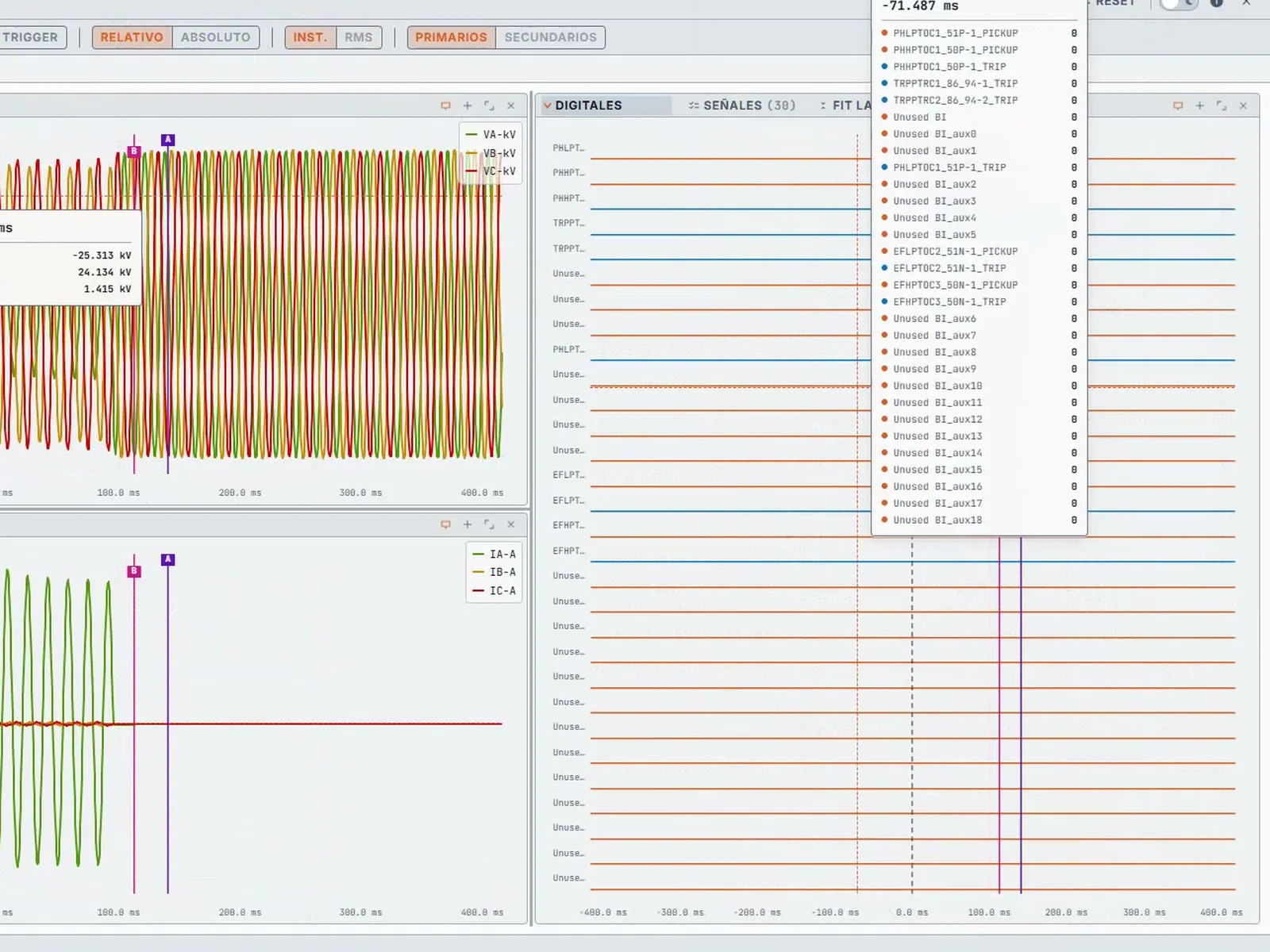
Automatic or custom charts to review each event in detail and share the result.
Overlay charts from different devices on the same page to compare a single event.
Analog, digital, phasor, harmonic, polar, frequency, and impedance.
Charts in PNG and PDF, and data in COMTRADE, PDF, and PNG.
Generates the charts from each COMTRADE file automatically or in a customized way: you choose the chart type and the variables you want to analyze.
Browse the AG Comtrade version history. To download the firmware, log in with your customer account.
AG Comtrade firmware
Current version: 2.1.0 ·
What is new
Compatible with Windows 10 / 11 · Windows Server 2019 / 2022
What is new
Compatible with Windows 10 / 11 · Windows Server 2019 / 2022
What is new
Compatible with Windows 10 / 11 · Windows Server 2019 / 2022
What is new
Compatible with Windows 10 / 11 · Windows Server 2019 / 2022
Sample versions: the actual history will be published here.
Technical support in Spanish from engineers specialized in protection, IEC 61850, and automatic record collection.
It depends on the configuration of the protocol used to extract the information. 100% of the tests performed over FTP with access credentials of level 2 or higher retrieved all the information in memory.
With manual discovery, a copy is made with the same structure the IED delivers. With automatic collection, you define which information you care about and how to organize it with rules.
Yes: by email and over IEC 60870-5-104, with digital signals that indicate whether or not there is new data.
Yes. It is independent of the device brand: it uses FTP, TFTP, and IEC 61850 File Transfer. See protocols ›
Yes. Download the trial license from AG Downloads, or ask for a pilot with your own relays. Go to AG Downloads ›
Yes, with AG Empowering: IEC 61850, digital substations, and OT networks. See programs ›
Proof of concept
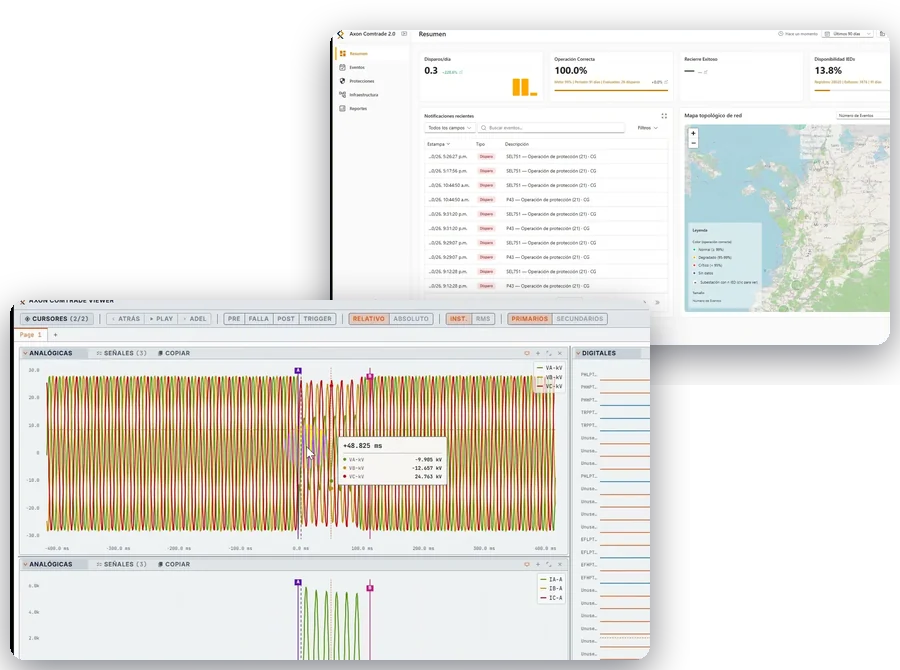
Automatic collection from protection relays with AG Comtrade.
1–3 of 4